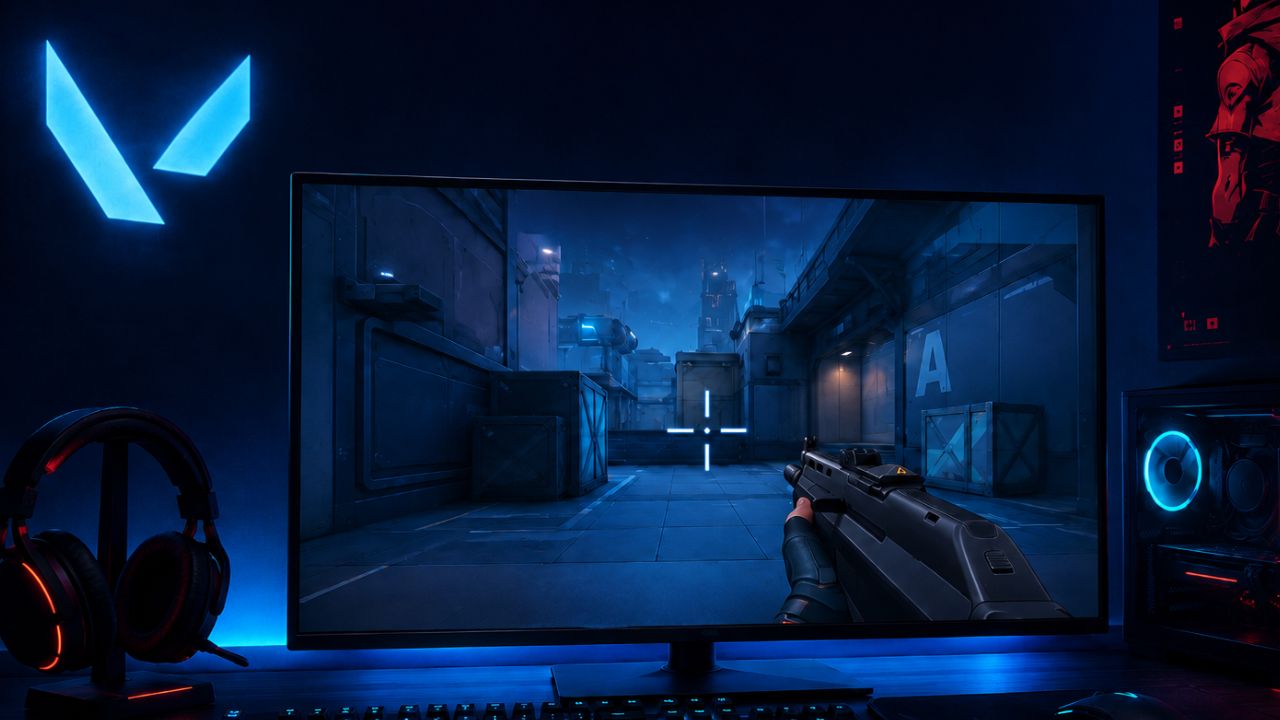
For competitive players, the right crosshair can be the difference between landing a clean headshot and missing a crucial duel. As Valorant continues to evolve in 2026, top-ranked players and VCT pros are increasingly favoring minimalist, high-visibility crosshairs that provide maximum precision without cluttering the screen. Small static crosshairs, bright colors like cyan and green, and disabled movement or firing error indicators remain the preferred choices among elite players because they improve target visibility and help maintain consistent aim.
In this guide, we’ll break down the best Valorant crosshair settings for 2026, including pro-player configurations, popular crosshair codes, and recommendations for different playstyles. Whether you’re a beginner looking to improve accuracy or a seasoned competitor chasing higher ranks, these crosshair setups can help you achieve better consistency, clearer target tracking, and more confident gunfights in every match.
What Crosshair Do Pro Valorant Players Use Right Now
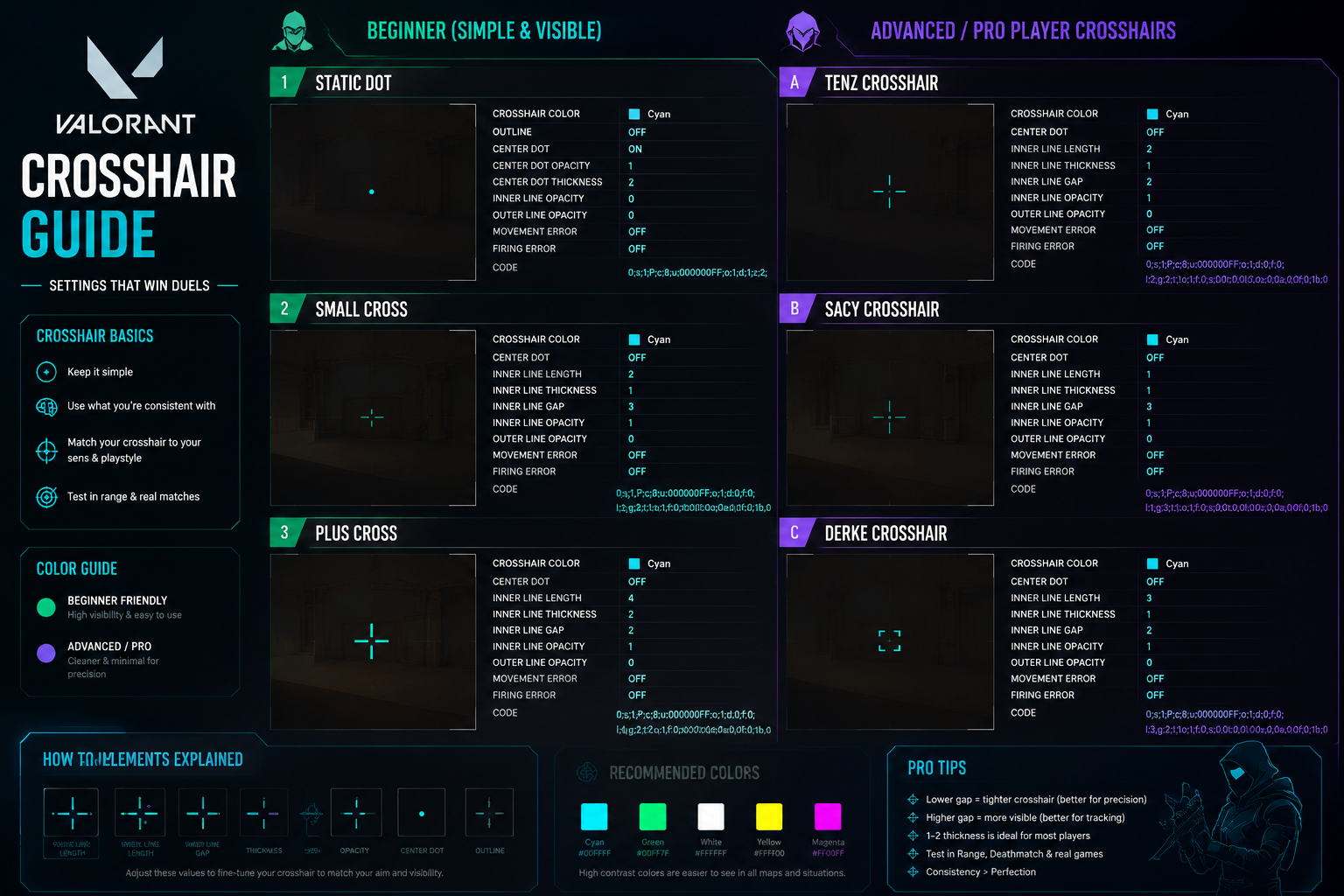
Top Valorant pros in 2026 almost universally use small, static crosshairs with no outlines and a tight center gap. The most common configuration is a thin cross or a pure dot, often in cyan, white, or green.
Here are representative crosshair profiles from well-known pros (based on publicly shared configs):
| Player | Color | Style | Center Dot | Gap | Inner Line Length |
|---|---|---|---|---|---|
| TenZ | Cyan | Cross | No | -3 | 4 |
| Shroud | White | Cross | Yes | -1 | 3 |
| ScreaM | Green | Cross | No | -4 | 5 |
| yay | Cyan | Dot only | Yes | 0 | 0 |
| cNed | Cyan | Cross | No | -2 | 4 |
Common mistake: Many players copy a pro’s crosshair code without adjusting for their own monitor resolution or personal preference. A crosshair that looks tiny on a 27-inch 1440p monitor may feel completely different on a 24-inch 1080p screen.
Best Valorant Crosshair Settings for Beginners vs. Advanced Players
Beginners and advanced players have genuinely different needs, and the best Valorant crosshair settings reflect that gap directly.
For beginners:
- Use a slightly larger crosshair so it is easier to see during fast-paced fights
- Enable a center dot to help with initial aim anchoring
- Keep inner line length at 6-8 and gap at 0 to 2
- A visible outline (opacity 0.5) can help the crosshair stand out against bright backgrounds
- Avoid dynamic crosshair at first, but if you struggle to understand spray patterns, a brief period with dynamic enabled can be educational
For advanced players:
- Switch to a minimal static cross or pure dot
- Set gap to -3 or lower to tighten the crosshair around the center pixel
- Remove all outlines to reduce visual clutter
- Inner line length of 3-5 is the sweet spot for precision without covering too much of the target
The core principle: a crosshair should be small enough to place accurately on a target’s head, but visible enough that you never lose track of it mid-fight.
Are Static or Dynamic Crosshairs Better for Competitive Play
Static crosshairs are better for competitive play. A dynamic crosshair expands when you move or fire, which gives visual feedback about inaccuracy, but it also encourages firing during that expanded state, which reinforces poor habits.
The problem with dynamic crosshairs is subtle. When the crosshair expands during movement, some players unconsciously start shooting earlier than they should, trusting that the spread will still connect. Static crosshairs remove that temptation entirely. Every bullet you fire looks the same on screen, which forces you to develop proper counter-strafing and stop-and-shoot discipline.
Decision rule: Use a dynamic crosshair only during the first few weeks of learning the game to understand how movement affects accuracy. Switch to static as soon as you understand the basic mechanics.
How Crosshair Color Actually Impacts Accuracy
Crosshair color has a real but modest effect on performance. The primary benefit is contrast: a color that stands out clearly against map backgrounds reduces the time your brain spends locating the crosshair, which can shave milliseconds off your reaction time.
Cyan (the default “Cyan” option in Valorant) is the most popular choice among pros because it contrasts well against the warm, earthy tones of maps like Ascent and Bind, as well as the darker corridors of maps like Icebox. Green and white are also strong choices. Red and yellow tend to blend into certain map textures or agent ability effects.
What color does not do: It does not change bullet spread, recoil, or any mechanical stat. The choice is entirely visual. Players with color vision deficiencies should experiment with white or a bright custom color to find what stands out most clearly for them.
What Crosshair Settings Help With Recoil Control
No crosshair setting directly improves recoil control, but a small, precise crosshair makes it easier to track your spray pattern visually. Recoil control is a mechanical skill built through practice, not a setting you can configure.
That said, a pure center dot (center dot enabled, all lines disabled) is the best crosshair style for practicing recoil control because:
- It gives you the clearest possible view of where your gun is actually pointing
- It does not obscure the target with line segments during a spray
- It makes the start of a spray pattern easier to anchor visually
For weapons with heavy recoil like the Vandal, a dot crosshair lets you see exactly how far you need to pull down to compensate. For the Phantom, which has a tighter spray pattern, a small cross works just as well.
Are There Specific Crosshair Settings That Work Better for Different Weapons
The honest answer is that one well-tuned crosshair works for almost every weapon in Valorant, and constantly switching crosshairs between weapons creates more confusion than benefit. However, there are some general principles worth knowing.
- Rifles (Vandal, Phantom): A small static cross or dot. Gap of -2 to -4 keeps the crosshair tight and helps with first-bullet accuracy.
- Snipers (Operator, Marshal): Crosshair settings matter less because the scope takes over. Some players switch to a dot for off-scope flicks.
- Shotguns (Judge, Bucky): A slightly wider crosshair can help visualize the spread cone, but most players just use their standard crosshair.
- Pistols (Sheriff, Ghost): The same crosshair used for rifles works fine. First-bullet accuracy on pistols is high, so a tight crosshair is appropriate.
Edge case: If you play a lot of Operator and rely on quick-scoping or off-scope shots, consider keeping a secondary crosshair profile saved as a dot-only config and switching in the practice range.
What Crosshair Settings Help With Flick Shots and Quick Targeting
For flick shots, a small center dot or a minimal cross with a gap of -3 to -4 is the best choice. The goal is to have the absolute minimum visual footprint at the center of the screen so that when your crosshair lands on a target’s head, you can confirm the placement instantly without the crosshair lines obscuring the target.
Key settings for flick-shot-focused crosshairs:
- Center dot: Enabled, opacity 1
- Inner lines: Length 2-3, thickness 1, opacity 1
- Gap: -3 to -5
- Outlines: Disabled
- Movement error / Firing error: Both off (static only)
Players who rely on flick shots, particularly Jett and Reyna players, tend to use the tightest possible crosshairs. The smaller the crosshair, the more precise the confirmation when it snaps onto a target.
For more on how competitive settings translate across tactical shooters, the Best CS2 Settings for Pro Players in 2026 guide covers similar principles that apply to crosshair design philosophy in both games.
How to Import Pro Player Crosshair Codes in Valorant
Importing a pro player’s crosshair in Valorant takes about 30 seconds. Here is the exact process:
- Open Valorant and go to Settings
- Click the Crosshair tab
- At the top of the crosshair settings panel, find the Import Profile Code field
- Paste the crosshair code string (a long alphanumeric string shared by the pro player or community site)
- Press Import and the crosshair will load immediately
- Save it as a named profile so you can switch back to your original settings if needed
Where to find crosshair codes: Pro player crosshair codes are regularly shared on community platforms and player profile tracking sites. Many streamers also display their current code on screen. Always verify the source, as codes can be outdated if a player has updated their settings.
Common mistake: Players import a crosshair code and immediately play ranked without spending time in the practice range first. Always spend at least 15-20 minutes with a new crosshair in the shooting range before taking it into a real match.
Which Crosshair Settings Help Players With Bad Aim Improve Fastest
Players looking to improve aim fastest should use a small static crosshair with a center dot and spend time in the practice range focusing on crosshair placement, not crosshair appearance. The crosshair itself is not the bottleneck for most players with developing aim.
The most effective improvement loop:
- Set a clean static crosshair (center dot on, inner lines length 4, gap -2, no outlines)
- Spend 10-15 minutes daily in the Valorant practice range on the bots
- Focus on keeping the crosshair at head height before enemies appear (crosshair placement)
- Use deathmatch mode to apply the habit under pressure
The crosshair that helps bad aim improve fastest is the one that is consistent and small enough to force precise placement. A large crosshair lets players be lazy about where they hold angles because the crosshair covers a wider area. A small crosshair demands accuracy.
If you are also looking to sharpen your skills in other competitive titles, the Apex Legends Tier List for 2026 covers agent and legend selection strategies that complement aim development across different shooters.
How to Customize Crosshair for Different Shooting Ranges and Maps
Valorant allows players to save multiple crosshair profiles, which makes it practical to have one profile for close-range maps and another for long-range engagements, though most experienced players stick to one universal crosshair.
For long-range maps (Breeze, Icebox): A slightly smaller crosshair with a tighter gap helps with precise long-range shots. Gap of -4 to -5, inner line length of 3.
For close-range maps (Bind, Split): A slightly larger crosshair or one with a center dot helps with fast tracking in tight corridors. Gap of -2 to 0, center dot enabled.
For practice range calibration:
- Use the long-range target bots to check if your crosshair is visible at distance
- Use the moving bots to check if your crosshair is trackable during fast movement
- Adjust color if the crosshair disappears against any background in the range
The Valorant crosshair profile system lets you name and save up to ten profiles, so there is no cost to experimenting. Build a library of two or three profiles and switch based on the map or agent you are playing.
How to Make Your Crosshair More Precise for Different Agents
Agent-specific crosshair adjustments are a niche but legitimate optimization, particularly for agents whose playstyle demands either aggressive entry or passive holding.
- Duelist agents (Jett, Reyna, Neon): Smallest possible crosshair, dot-only or minimal cross. These agents take fast, aggressive fights where quick confirmation matters most.
- Sentinel agents (Killjoy, Cypher, Chamber): A slightly larger crosshair with a center dot works well for holding angles at range. Chamber players often prefer a dot-only crosshair given his Operator-heavy playstyle.
- Controller agents (Omen, Brimstone, Viper): Standard small cross. Controllers often play from behind smokes, so crosshair visibility against dark backgrounds matters. White or cyan works well here.
- Initiator agents (Sova, Fade, Breach): Standard small cross. Initiators play a support role, so crosshair precision for follow-up shots after flashes or reveals is the priority.
Key point: Agent-based crosshair switching is optional and adds complexity. Most players are better served by finding one crosshair that works across all agents and focusing on game sense and mechanics instead.
Common Mistakes People Make With Valorant Crosshair Setup
Several crosshair mistakes are extremely common, even among players who have been playing for hundreds of hours.
Mistake 1: Using a dynamic crosshair in ranked play. Dynamic crosshairs train players to fire during spread, which hurts accuracy over time. Switch to static.
Mistake 2: Copying a pro crosshair without adjusting for your monitor. Resolution and monitor size change how a crosshair looks and feels. Always test in the practice range.
Mistake 3: Choosing a crosshair color that blends into map textures. Red crosshairs disappear against Bind’s warm stone walls. Yellow crosshairs vanish against Ascent’s sandy tones. Test your color on every map.
Mistake 4: Using a crosshair that is too large. A large crosshair feels comfortable but hides the target’s head, which makes precise headshots harder. Smaller is almost always better.
Mistake 5: Changing the crosshair constantly. Switching crosshairs every few days resets muscle memory for visual confirmation. Pick a crosshair, commit to it for at least two weeks, then evaluate.
Mistake 6: Ignoring crosshair placement in favor of crosshair settings. No crosshair setting compensates for holding angles at chest height. Placement is the skill; the crosshair is just the tool.
For players who want to understand how game settings and platform choices affect competitive performance more broadly, the PlayStation vs Xbox vs PC: Best Gaming Platform in 2026 guide covers the hardware side of competitive gaming.
Final Thoughts
Crosshair settings are one of the few things in Valorant that players can control completely, and getting them right has a measurable effect on consistency and confidence in gunfights. The best Valorant crosshair settings in 2026 follow a clear pattern: small, static, high-contrast color, minimal or no outlines, and a tight center gap.
Actionable next steps:
- Open Valorant settings and switch your crosshair to static if you are currently using dynamic
- Set your color to cyan or green and test it on Breeze, Bind, and Icebox to check contrast
- Try a center gap of -3 and inner line length of 4 as a starting baseline
- Enable the center dot and spend 15 minutes in the practice range with the new setup
- Save the profile with a name, then commit to it for two full weeks before making any further changes
- Import a pro player crosshair code as a secondary profile to compare, but do not switch mid-session
The crosshair is a tool, not a shortcut. Pair these settings with deliberate crosshair placement practice and consistent deathmatch sessions, and the improvement in your aim will be noticeable within weeks.
For players looking to sharpen their broader competitive gaming setup, the Best CS2 Settings for Pro Players in 2026 guide covers similar optimization principles that translate directly to Valorant. If you are interested in how the gaming landscape is shifting this year, the Most Anticipated Games of June 2026 and Gaming Industry Predictions: What Changes Before 2030 are worth reading alongside your crosshair optimization journey.
Frequently Asked Questions (FAQs)
What is the best crosshair color in Valorant for 2026?
Cyan is the most popular choice among pro players because it contrasts well against most map environments. Green and white are strong alternatives. Avoid red and yellow, which can blend into map textures and ability effects.
Should I use a center dot on my crosshair?
Yes, for most players. A center dot gives a precise aiming reference and is especially helpful for recoil control practice. Advanced players who use a dot-only crosshair find it gives the clearest view of the target.
What is the best crosshair gap setting in Valorant?
A gap of -2 to -4 is the most common range among competitive players. Negative gap values pull the crosshair lines inward, creating a tighter, more precise center. A gap of 0 means the lines start exactly at the center pixel.
Can I use different crosshairs for different agents?
Yes. Valorant supports up to ten saved crosshair profiles, and you can switch between them in the settings menu before a match. However, most players benefit more from mastering one crosshair than from switching frequently.
Does crosshair size affect aim?
Indirectly, yes. A smaller crosshair forces more precise placement on targets, which builds better habits over time. A larger crosshair is more forgiving but can obscure the target’s head, making precise headshots harder.