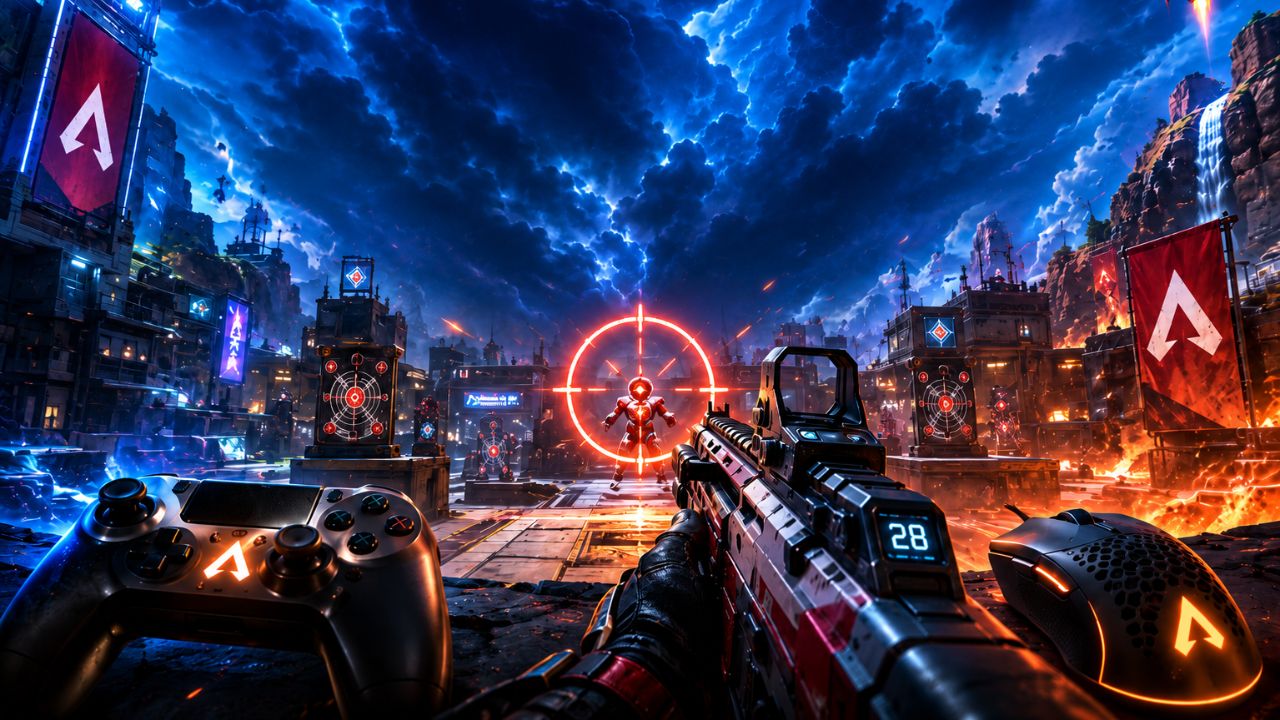
In Apex Legends, landing more shots often means the difference between becoming the Champion Squad and returning to the lobby early. As the game continues to evolve in 2026, players face faster movement, stronger competition, and increasingly skilled opponents across both Ranked and public matches. While good positioning and game sense are important, consistent aim remains one of the most valuable skills you can develop.
Improving your aim in Apex Legends goes far beyond simply increasing your accuracy percentage. It involves mastering recoil control, tracking moving targets, understanding weapon-specific mechanics, optimizing sensitivity settings, and building muscle memory through effective practice routines. Many top players also take advantage of advanced mechanics such as recoil smoothing, movement-based aiming techniques, and dedicated aim-training exercises to gain an edge in fights.
Whether you’re a beginner struggling to win close-range duels or an experienced player looking to climb the Ranked ladder, this complete guide will walk you through everything you need to know. From the best settings and warm-up drills to proven aiming habits used by high-level players, you’ll learn practical strategies that can help you track enemies more accurately, control recoil more effectively, and become a more confident Apex Legends competitor in 2026.
Why Aim Is Harder in Apex Legends Than in Other Shooters
Apex Legends punishes poor aim more severely than most battle royales because every opponent moves constantly. The game’s movement system — bunny hopping, slide-jumping, wall-climbing — means targets rarely hold still. Standard aim advice from other shooters does not fully apply here.
The game also uses a time-to-kill (TTK) that rewards sustained accuracy over burst damage in most situations. Missing shots against a third-party squad during a fight can end a match instantly. That pressure makes aim feel inconsistent even for experienced FPS players switching from games like Call of Duty or Valorant.
Understanding this context is the first step in knowing how to improve aim in Apex Legends effectively.
What Settings Actually Help You Aim Better
The right settings create the foundation for accurate aiming. Wrong settings actively fight against muscle memory.
For PC players:
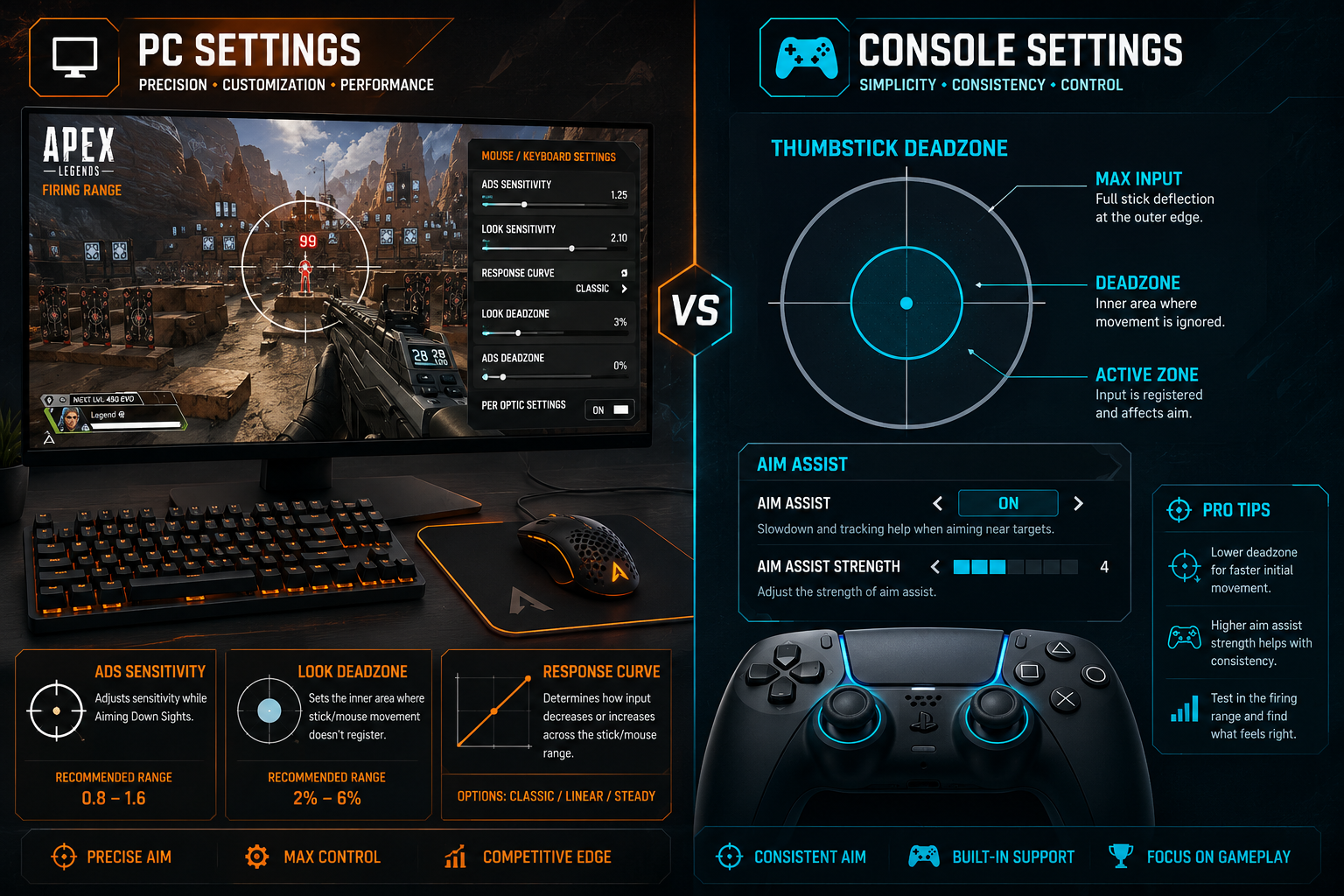
- Mouse DPI: Most competitive players use 400 to 1600 DPI. Lower DPI with higher in-game sensitivity gives more physical mouse movement per degree of turn, which improves precision.
- ADS Sensitivity Multiplier: Set this between 1.0 and 1.3. Going higher makes scoped shots harder to control.
- Mouse Polling Rate: 1000Hz is the standard minimum for responsive tracking.
- Response Curve: Set to “Steady” for most players. “Fine Aim” suits players who make small micro-adjustments frequently.
For console players:
- Deadzone: Lower the inner deadzone to 1 or 2 to remove input lag on thumbstick movement. A deadzone that is too high causes delayed reactions.
- Aim Assist Strength: The default is 100. Some players drop to 80 to reduce over-reliance on aim assist, which can mask poor tracking habits.
- Look Sensitivity: Start at 4 to 5 on both axes. Increase only after your current setting feels genuinely limiting, not just slow.
For a full breakdown of every setting that affects performance, the Best Apex Legends Settings for PC and Console 2026 guide covers both platforms in detail.
Common mistake: Changing sensitivity every few days. Aim improvement requires muscle memory, which takes time to form. Pick a sensitivity and stay with it for at least two weeks before judging whether it works.
How to Use the Firing Range to Improve Aim in Apex Legends
The Firing Range is Apex Legends’ built-in practice tool, and most players use it wrong. Shooting stationary dummies for five minutes is not deliberate practice.
Effective Firing Range drills:
- Moving target tracking: Enable moving dummies (hold the interact button on the large dummy in the center to toggle movement). Track them continuously with your crosshair without firing. Then add shots. This trains tracking aim, which is the most-used aim type in Apex.
- Flick-to-target drill: Stand at medium range, look away from a dummy, then snap your crosshair to its head. Repeat 20 to 30 times. This builds flick accuracy for close-range fights.
- Strafe-and-shoot: Move left and right while firing at a dummy. This mirrors real combat conditions where you are also moving.
- Weapon-specific warmup: Spend three to five minutes on each weapon you plan to use in your session. Recoil patterns differ significantly between the R-301, Flatline, and Prowler.
A 10 to 15 minute Firing Range session before ranked play is one of the highest-return habits for players asking how to improve aim in Apex Legends without spending money on external tools.
Should PC Players Use Aim Trainers Outside the Game
Yes, external aim trainers are genuinely useful for PC players, but only if used with scenarios that match Apex Legends’ movement style.
Aimlabs and KovaaK’s both offer Apex-specific task packs. The most relevant scenario types are:
- Tracking scenarios (following a moving target smoothly)
- Reactive tracking (target changes direction unpredictably)
- Micro-adjustment tasks (fine corrections at medium-to-long range)
Avoid spending all your time on pure flick tasks. In Apex Legends, most gunfights involve sustained tracking against moving targets, not single-shot flicks.
How long to practice: 20 to 30 minutes of focused aim trainer work, three to four times per week, produces better results than longer unfocused sessions. Quality of attention matters more than total time.
Console players do not benefit from mouse-based aim trainers. Their equivalent is extended Firing Range time with deliberate deadzone and sensitivity tuning.
The Role of Crosshair Placement in Hitting More Shots
Crosshair placement is the single most underrated skill for players learning how to improve aim in Apex Legends. It reduces the distance your reticle must travel to reach an enemy’s head or upper body, which directly increases your hit rate without changing your raw aim speed.
What good crosshair placement looks like:
- Keep your reticle at head height as you move through the map
- Pre-aim corners at the height where an enemy’s head would appear
- When pushing a door or doorway, your crosshair should already be at chest-to-head level before the enemy is visible
What bad crosshair placement looks like:
- Aiming at the ground while running
- Snapping up from a low angle when an enemy appears (this costs reaction time)
- Keeping your reticle in the center of open space rather than near cover edges
This skill transfers directly from other tactical shooters. If you also play games like Valorant or CS2, the habits built there apply in Apex. Check out the Best Valorant Crosshair Settings for 2026 for crosshair discipline tips that carry over.
How Movement Affects Your Aim (and What to Do About It)
Apex Legends’ movement system creates a two-sided problem: your targets move unpredictably, and your own movement can destabilize your aim.
Key movement-aim principles:
- Strafing while shooting makes you harder to hit but also makes your own aim less stable. Learn to strafe in short bursts rather than constant direction changes.
- Slide-jumping into a fight gives you momentum but makes precision shots harder to land. Settle into a crouch or standing position before committing to a sustained firefight.
- Hipfire vs. ADS: Hipfire is faster to bring up and better at very close range. ADS improves accuracy at medium range. Knowing which to use in each situation reduces wasted shots.
- Crouching mid-fight briefly stabilizes your aim and reduces your hitbox. Use it in short bursts, not as a static position.
Understanding which legend you play also affects how you approach these situations. Some legends have abilities that create better conditions for landing shots. The Apex Legends Tier List for 2026 shows which legends currently offer the most consistent combat advantages.
How to Analyze Your Own Gameplay to Find Aim Problems
Most players practice without knowing what they are actually practicing incorrectly. Reviewing your own footage is one of the fastest ways to identify specific weaknesses.
What to look for when reviewing clips:
- Where are you missing shots? Consistently missing to the left or right suggests a tracking issue. Missing above or below suggests poor vertical recoil control.
- Are you shooting before your crosshair is on target? This is a panic-fire habit that wastes ammo and alerts enemies to your position.
- How often do you switch weapons instead of reloading? Frequent unnecessary weapon swaps during fights indicate poor ammo management, which forces bad aim decisions.
- Are you fighting at your weapon’s optimal range? Using an SMG at long range or a sniper at close range makes aim problems look worse than they are.
Record your sessions using built-in console capture or PC software. Watch clips at 0.5x speed. Patterns become obvious within a few sessions.
If you also play other competitive shooters, the same analysis habit applies. The Best CS2 Settings for Pro Players in 2026 guide discusses how pro players use demo review to identify mechanical weaknesses.
Common Mistakes That Are Actively Hurting Your Aim
Several habits directly undermine aim improvement, even when players are putting in practice time.
| Mistake | Why It Hurts | Fix |
|---|---|---|
| Changing sensitivity constantly | Prevents muscle memory from forming | Commit to one sensitivity for two weeks minimum |
| Only practicing in real matches | High stakes reduce experimentation | Use Firing Range for deliberate drills |
| Playing on a cluttered desk or worn mousepad | Inconsistent surface friction breaks tracking | Use a consistent, clean mousepad |
| Ignoring recoil patterns | Each weapon has a unique pattern | Learn the first five shots of every weapon you use |
| Fighting at the wrong range | Forces aim to compensate for bad positioning | Use cover and positioning to reach your weapon’s optimal range |
| Playing tired or frustrated | Reaction time and focus drop measurably | Short sessions with full attention beat long sessions with poor focus |
How Long Does It Take to Noticeably Improve Aim in Apex Legends
Realistic timelines depend on current skill level and practice consistency.
- Casual players (under 10 hours/week): Noticeable improvement in crosshair placement and basic tracking within three to four weeks of deliberate practice
- Regular players (10 to 20 hours/week): Measurable improvement in hit rate within two weeks if settings are corrected and Firing Range drills are added
- Competitive players: Micro-improvements in flick accuracy and recoil control become apparent within one week of focused aim trainer work
The key word is deliberate. Playing more matches without changing habits produces slower improvement than shorter, focused practice sessions. This is true across all competitive games, from Apex to Overwatch 2 to Warzone.
Final Thoughts
Improving aim in Apex Legends in 2026 is not about finding a secret setting or grinding thousands of hours. It comes down to consistent, deliberate practice built on a solid foundation of correct settings, crosshair discipline, and honest self-review.
Actionable next steps:
- Lock in your sensitivity today and do not change it for two weeks
- Spend 10 to 15 minutes in the Firing Range before every ranked session, using moving dummies
- Watch one recorded clip per session and identify one specific aim mistake to address
- Learn the recoil pattern of your two most-used weapons by firing at a wall in the Firing Range
- Practice keeping your crosshair at head height while moving through the map, even when no enemies are present
For players who want to go further, pairing aim improvement with optimized in-game settings makes every drill more effective. The Best Apex Legends Settings for PC and Console 2026 guide is the logical next stop after this one.
Aim improvement is cumulative. Small corrections made consistently produce results that feel sudden when they arrive.
Frequently Asked Questions (FAQs)
What is the best sensitivity for Apex Legends in 2026?
There is no single best sensitivity. Most PC players land between 800 DPI at 2.0 to 3.0 in-game sensitivity, or 400 DPI at 3.0 to 5.0. Console players typically perform well at look sensitivity 4 to 6. The best sensitivity is one you keep consistent long enough for muscle memory to form.
Does aim assist help console players in Apex Legends?
Yes, aim assist is active for controller players and provides a slowdown effect near targets. It does not auto-aim for you. Players who rely on it entirely without developing tracking habits will struggle against fast-moving opponents.
Is the Firing Range enough to improve aim, or do I need an aim trainer?
The Firing Range is enough for most players, especially on console. PC players who want faster improvement can supplement with Aimlabs or KovaaK’s, but only using Apex-relevant tracking scenarios.
Why does my aim feel inconsistent between sessions?
Inconsistency usually comes from variable warmup, fatigue, or hardware differences (such as playing on a different surface or controller). Establish a consistent pre-session warmup routine and keep your hardware setup identical each time.
Should I use a higher or lower FOV for better aim?
Higher FOV (90 to 110) gives more peripheral awareness but makes targets appear smaller, which can make precision shots harder. Lower FOV makes targets appear larger. Most players find 100 to 104 a good balance in Apex Legends.
Does legend choice affect aim difficulty?
Indirectly, yes. Legends with mobility abilities (like Pathfinder or Octane) make enemies move more unpredictably. Legends with slowing or trapping abilities (like Caustic or Wattson) can create easier-to-hit targets. Choosing a legend suited to your playstyle reduces situations where your aim is tested under the worst conditions.