
For fans of epic role-playing adventures, few games deliver the same level of freedom and storytelling as Baldur’s Gate 3. While the single-player experience is incredible on its own, the game truly shines when shared with friends in multiplayer co-op. Whether you’re exploring the Forgotten Realms together, making difficult story decisions as a group, or coordinating powerful combat strategies, co-op adds a whole new layer of excitement and unpredictability to every playthrough. Baldur’s Gate 3 supports up to four players online, along with local split-screen options on supported platforms, allowing friends to experience the full campaign together from beginning to end.
Since its release, Larian Studios has continued to improve the multiplayer experience with major updates, including cross-platform play introduced through Patch 8, making it easier than ever for players on PC, PlayStation, Xbox, and Mac to join the same adventure. Whether you’re starting your first campaign, joining an ongoing game, or trying to understand how character ownership, dialogue choices, romances, and save files work in co-op, there are a few important mechanics every player should know before diving in.
In this complete 2026 multiplayer co-op guide, we’ll cover everything from setting up online and local co-op sessions to understanding party management, cross-play, combat coordination, and the best practices for creating a smooth and enjoyable multiplayer campaign. By the end, you’ll have all the knowledge needed to gather your party and embark on one of the best cooperative RPG experiences available today.
How Does Co-Op Work in Baldur’s Gate 3?
Baldur’s Gate 3 co-op puts each player in direct control of one party member inside a shared, persistent world. The host creates or loads a save, invites friends via the in-game lobby, and the session begins. Guests join as either a custom character or one of the pre-built Origin characters.
Key mechanics to know before starting:
- Save ownership: Only the host can save the game. Guest progress (character level, inventory) is tied to the host’s save file.
- Player count: Up to four players online. Two-player split-screen is available locally on PS5 and Xbox Series X/S.
- Drop-in/drop-out: Players can join or leave mid-session. When a player leaves, their character reverts to AI control.
- Dialogue system: Only one player speaks to NPCs at a time. Other players can listen and, in certain key moments, vote on decisions.
Setting Up a Baldur’s Gate 3 Multiplayer Session
Setting up co-op in Baldur’s Gate 3 takes under five minutes if everyone is on the same platform. From the main menu, select “Multiplayer,” then choose to host a new game or join an existing one.
Step-by-step setup:
- The host opens the game and selects “Multiplayer” from the main menu.
- Choose “Create” to start a new session or “Load” to continue an existing save.
- Set the lobby to “Friends Only” or “Invite Only” for private sessions.
- Invite friends through the platform’s friend list or share the lobby code.
- Each guest selects or creates their character before the session starts.
- The host confirms all players are ready, then launches the session.
Common mistake: Starting a new game before all players have joined locks in world settings. Agree on difficulty, honour mode, and custom rules before the host hits “Launch.”
If you’re new to the game entirely, reviewing a Baldur’s Gate 3 best class for beginners guide before character creation will save the group a lot of frustration in Act 1.
What Are the Best Class Combinations for Co-Op?
In a co-op party, class balance directly affects how smoothly the group handles combat, exploration, and dialogue checks. A party with no healer or no crowd control will struggle in harder encounters, especially on Tactician or Honour difficulty.
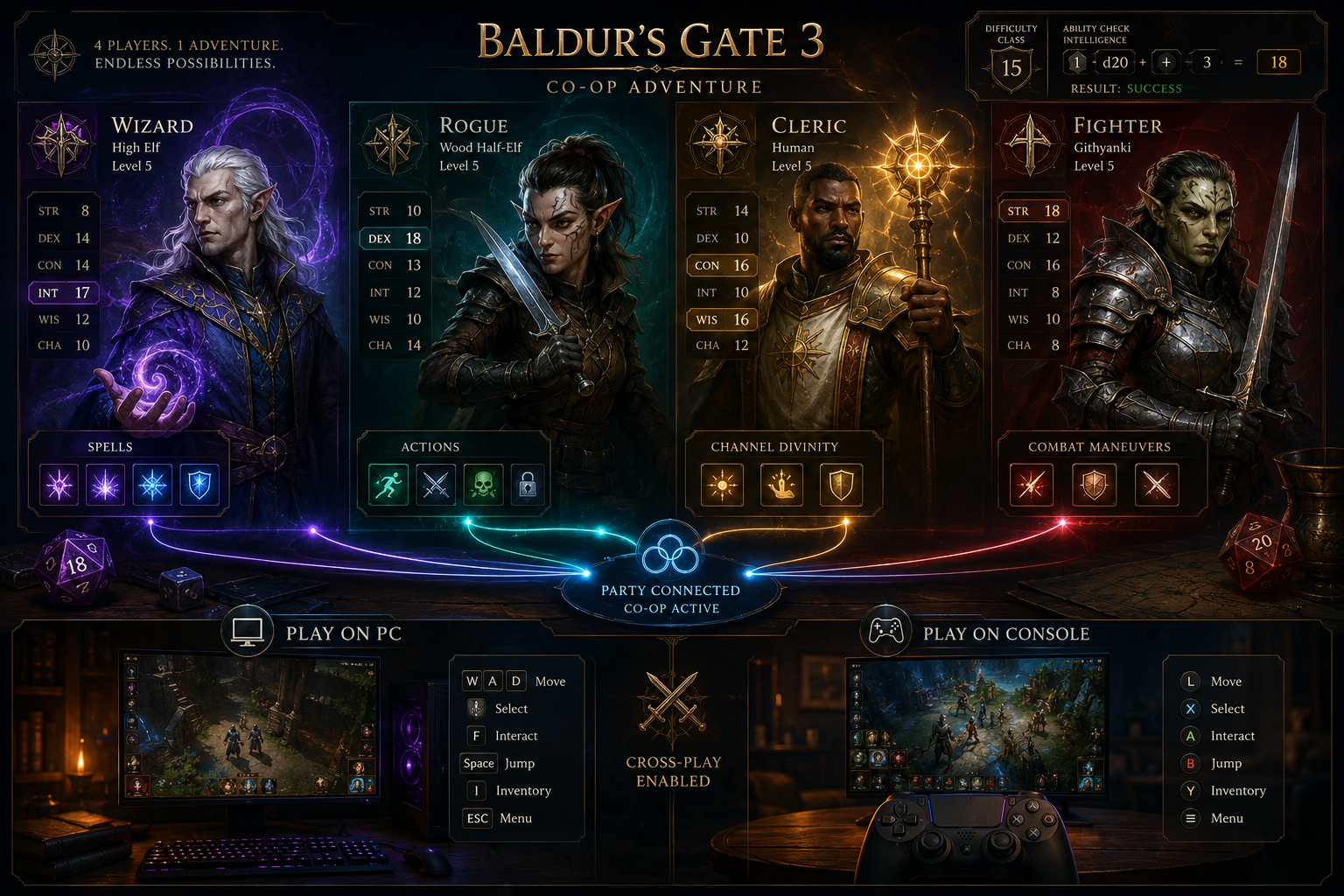
Recommended four-player party composition:
| Role | Suggested Class | Why It Works |
|---|---|---|
| Tank / Frontliner | Fighter or Paladin | High AC, action surge, reliable damage |
| Healer / Support | Cleric | Full spell list, healing word, buffs |
| Crowd Control | Wizard or Sorcerer | Sleep, hold person, area spells |
| Utility / Damage | Rogue or Ranger | Sneak attack, ranged pressure, skills |
Choose this setup if your group wants to cover all three pillars of play: combat, exploration, and roleplay skill checks. Rogues and Bards add high Charisma for dialogue options, while Clerics and Wizards handle magical threats.
Edge case: In a two-player session, each player should consider multiclassing to cover more roles. A Paladin/Warlock (Padlock) and a Cleric/Druid pairing covers most situations without a full four-person party.
How Does the Dialogue and Decision System Work in Co-Op?
This is one of the most discussed topics in any Baldur’s Gate 3 Multiplayer Coop Guide, and for good reason. Dialogue in co-op works differently than in single-player, and misunderstanding it causes friction between players.
How it works:
- The player who initiates a conversation controls the dialogue.
- Other players see the conversation in real time and can follow along.
- At major story decisions (such as alliance choices or companion quests), all players receive a vote prompt. The majority vote wins.
- If players are split evenly, the host’s vote takes priority.
Practical tips:
- Designate one player as the “face” of the party — ideally whoever has the highest Charisma score — to handle most NPC interactions.
- Communicate before major decisions. Surprises mid-dialogue can derail a playthrough if players have conflicting story goals.
- Players who are not in dialogue can still move around the world, loot nearby containers, or set up combat positions.
Does Baldur’s Gate 3 Support Cross-Platform Co-Op?
As of mid-2026, Baldur’s Gate 3 does not support cross-platform multiplayer between PC and consoles. PC players (Steam or GOG) can play together, and PS5 players can play with other PS5 players, but a PC player cannot join a PS5 session.
Platform co-op compatibility at a glance:
- PC (Steam) + PC (Steam): Supported
- PC (GOG) + PC (GOG): Supported
- Steam + GOG: Not supported
- PS5 + PS5: Supported
- Xbox Series X/S + Xbox Series X/S: Supported
- PC + Console: Not supported
Decision rule: If your group owns the game on different platforms, the simplest fix is for one player to purchase the game on the same platform as the majority. Larian Studios has not announced cross-platform support for 2026, so this limitation is unlikely to change in the near term.
For players interested in how the broader gaming industry is handling cross-play, the how cloud gaming is changing PC gaming in 2026 article covers relevant trends.
How Does Combat Work When Playing With Friends?
Combat in co-op follows the same turn-based rules as single-player, but each player controls their own character’s turn. The initiative order determines who acts when, and players must wait for their turn just like in a tabletop game.
What changes in co-op combat:
- Players can discuss strategy during other characters’ turns.
- Friendly fire is on by default — area-of-effect spells hit allies if they’re in range.
- Each player manages their own spell slots, action economy, and positioning.
- If a player’s character goes down, another player can use a healing spell or potion to revive them.
Common mistake: Casting Fireball into a melee where allies are standing. Always check spell radius before casting. The game shows the area of effect before confirming, so take a second to look.
Honour Mode in co-op: Honour Mode (the hardest difficulty with permadeath) is fully playable in co-op. If any character dies permanently, the run ends for the entire group. This mode rewards tight coordination and is best attempted after at least one full playthrough.
If your group enjoys challenging co-op content, the how to solo Helldive difficulty in Helldivers 2 guide offers useful thinking on high-stakes team strategy in other games.
What Happens to Guest Progress When the Host Is Offline?
Guest characters and their progress are stored inside the host’s save file. This is the most important limitation of the Baldur’s Gate 3 co-op system, and it affects how groups should plan their sessions.
What guests keep:
- Character level and class choices (tied to the host’s save)
- Inventory items (stored in the shared save)
- Story progress up to the last save point
What guests cannot do:
- Load the world without the host
- Save the game independently
- Continue the story alone (unless they start a separate single-player run)
Workaround: Some groups designate a secondary host who keeps a backup save. Larian allows the host to export a guest’s character sheet, which can be imported into a new session if the original host is unavailable long-term.
How to Use Mods Safely in Baldur’s Gate 3 Co-Op
Mods work in Baldur’s Gate 3 co-op, but they require careful management. All players in a session must run the same mods in the same load order, or the session will either refuse to start or crash mid-game.
Safe modding steps for co-op:
- Agree on a mod list before the session starts.
- Use the in-game Mod Manager (added in Patch 7) to share mod lists via a code.
- Avoid mods that alter core game files unless all players have confirmed compatibility.
- Test the mod list in a short single-player session before inviting the group.
- Keep mods updated — outdated mods are the leading cause of co-op crashes.
Mods that work well in co-op: Quality-of-life mods (expanded inventory, UI tweaks, camera adjustments) are generally stable. Overhaul mods that change combat or class mechanics carry higher risk.
Common Mistakes to Avoid in Baldur’s Gate 3 Multiplayer
Even experienced players run into avoidable problems in co-op. This section of the Baldur’s Gate 3 Multiplayer Coop Guide covers the mistakes that derail sessions most often.
Top mistakes and how to fix them:
- Splitting the party without communication: The game allows players to move independently, but wandering into a scripted event alone can trigger a cutscene or combat for the whole group. Stay in voice chat.
- Ignoring long rest management: Spell slots and abilities reset on long rest, but resting advances certain time-sensitive quests. Agree as a group before resting.
- Duplicate Origin characters: Two players cannot both play as Shadowheart, for example. Decide character choices before the session starts.
- Looting without sharing: Items picked up go into the individual player’s inventory. Use the shared camp chest to pool resources.
- Skipping the tutorial: Even veteran RPG players benefit from the Nautiloid tutorial, which introduces BG3-specific mechanics that differ from other games in the genre.
For players who enjoy optimizing their approach across different RPGs, the best Elden Ring builds guide and the Diablo 4 best builds guide offer useful parallels for thinking about build synergy in co-op contexts.
Final Thoughts
Baldur’s Gate 3 co-op is one of the most rewarding multiplayer experiences available in 2026, but it rewards preparation. The groups that get the most out of it are the ones who coordinate class choices before session start, establish clear rules around saving and resting, and communicate during dialogue and combat.
Actionable next steps:
- Confirm all players own the game on the same platform before scheduling a session.
- Agree on a class composition using the table in this guide as a starting point.
- Designate a host who can commit to regular sessions, since guest progress depends on the host’s save.
- Set up external voice chat (Discord is the most reliable option) before the first session.
- Start on Balanced difficulty for a first co-op run, then move to Tactician once the group knows the systems.
- If using mods, share the mod list at least a day before the session so everyone has time to install and verify.
Baldur’s Gate 3 is a long game — a full co-op playthrough typically runs 80 to 150 hours depending on exploration depth. Planning the session structure early keeps the group engaged from the Nautiloid to the final act.
For players looking to branch out after finishing BG3, the best class for beginners guide is a strong resource for planning a second playthrough with a different build, and the how indie games are competing with AAA titles in 2026 article provides broader context on where BG3 sits in the current gaming landscape.
Frequently Asked Questions (FAQs)
Can you play Baldur’s Gate 3 co-op with two players on one console?
Yes. PS5 and Xbox Series X/S support two-player local split-screen co-op. Each player uses a separate controller and has their own camera view.
How many players can join a Baldur’s Gate 3 multiplayer session?
Up to four players can join a single session online. The party size cap matches the in-game party limit of four characters.
Can guests play as Origin characters in co-op?
Yes. Guests can choose any available Origin character (Shadowheart, Astarion, Gale, etc.) at session start, as long as the host has not already assigned that character.
Does Baldur’s Gate 3 have voice chat built in?
No. The game does not include native voice chat. Most groups use Discord, PlayStation Party Chat, or Xbox Party Chat alongside the game.
Can a player join a session that is already in progress?
Yes. The host can invite players mid-session. The joining player will enter as their character at the current world state.
What happens if the host disconnects during a session?
The session ends for all players. Progress is saved up to the last manual or autosave point. The host should save frequently to minimize lost progress.
Is Baldur’s Gate 3 co-op available on PC Game Pass?
As of mid-2026, Baldur’s Gate 3 is available on Xbox Game Pass. PC Game Pass availability has varied by region; check the current Game Pass catalog for confirmation.