
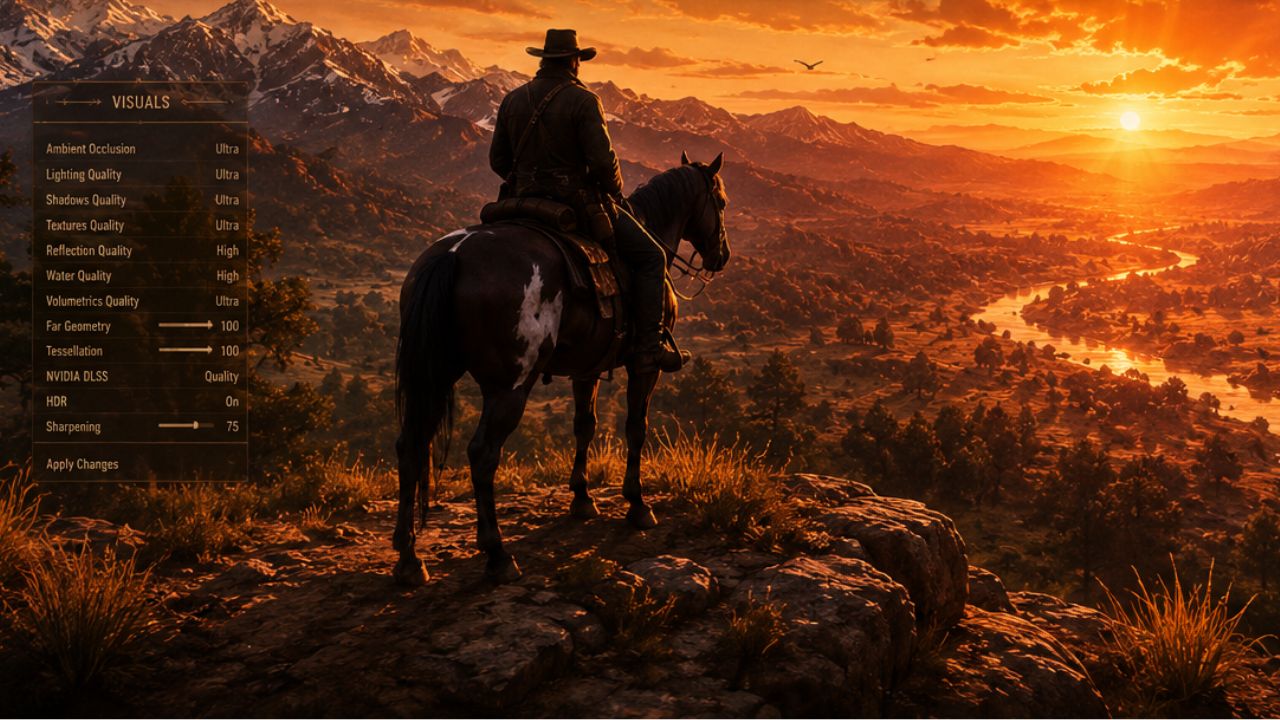
Red Dead Redemption 2 continues to dominate the modding scene in 2026, proving that Rockstar’s legendary open-world western still has plenty of life left in it. From breathtaking graphics overhauls and realistic gameplay tweaks to expanded combat systems and immersive quality-of-life improvements, the RDR2 modding community has transformed the game into an even deeper and more cinematic experience. Whether you want enhanced visuals, smarter NPC interactions, new weapons, custom outfits, or entirely fresh gameplay mechanics, the best RDR2 mods can completely redefine your journey through the Wild West. Community favorites like Rampage Trainer, Enhanced Brawling, Terrain Textures Overhaul, and Catalogue Improvements continue to push the boundaries of what the game can achieve on PC.
What Are the Top Performance and Graphics Mods for RDR2 in 2026?
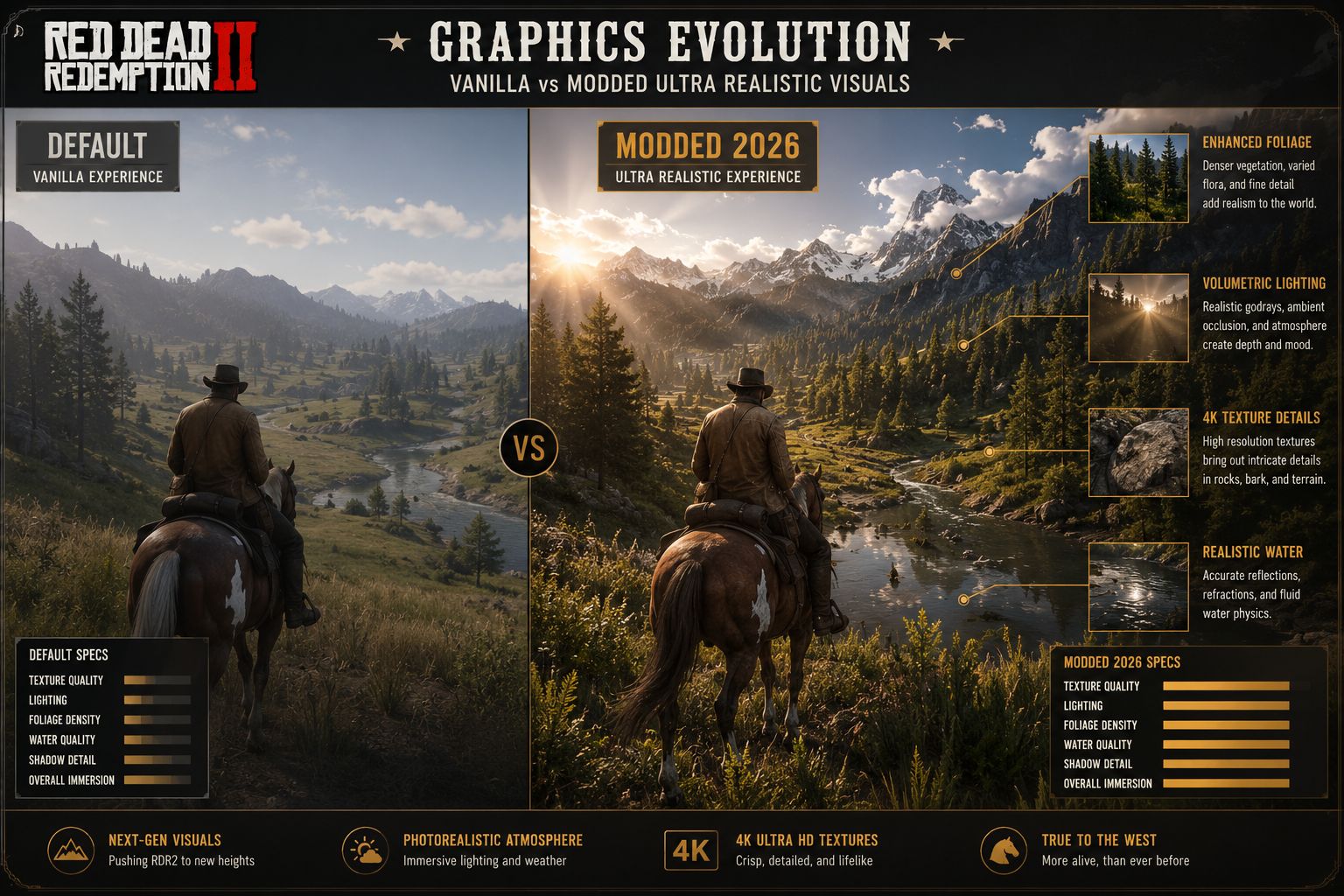
Seven years after its PC release, Red Dead Redemption 2 still has one of the most active modding communities in gaming. The Red Dead Redemption 2 best mods for 2026 span graphics overhauls, gameplay tweaks, and full content expansions — and most cost nothing.
Top Graphics Mods
| Mod Name | What It Does | Difficulty |
|---|---|---|
| NaturalVision Evolved | Overhauls lighting, weather, and color grading | Intermediate |
| RDR2 Redux | Complete visual and gameplay overhaul package | Intermediate |
| Realistic Water Textures | Upgrades river and lake rendering | Beginner |
| 4K Texture Pack (Horses) | High-res horse coat textures | Beginner |
| Enhanced Vegetation | Denser, more detailed foliage | Beginner |
Top Performance Mods
- Heap Limit Adjuster — Prevents crashes caused by memory allocation errors; essential for heavy mod setups
- RAM Adjuster — Lets players manually set VRAM limits for more stable frame rates
- FPS Limiter — Caps frame rate to reduce GPU heat and stuttering on mid-range hardware
What Are the System Requirements for Running Complex RDR2 Mods?
Complex mod setups push hardware significantly harder than the base game. A mid-range PC that runs vanilla RDR2 at 60fps may drop to 40fps with a full graphics mod stack.
Recommended specs for a heavily modded RDR2 in 2026:
- GPU: NVIDIA RTX 3070 / AMD RX 6800 XT or better
- CPU: Intel Core i7-10700K / AMD Ryzen 7 5800X or better
- RAM: 16 GB minimum; 32 GB strongly recommended for large mod lists
- Storage: SSD required — HDD load times become unacceptable with texture mods
- VRAM: 8 GB minimum; 12 GB+ for 4K texture packs
Common mistake: Installing 4K texture mods on a GPU with 6 GB VRAM causes constant stuttering and texture pop-in. Always check a mod’s listed VRAM requirement before installing.
How Much Do the Best RDR2 Mods Cost?
Almost all of the best RDR2 mods are free. The modding community for Red Dead Redemption 2 operates almost entirely on a volunteer basis, with creators hosting files on Nexus Mods and GitHub at no charge.
A small number of creators accept optional donations through Patreon or Ko-fi, but paying is never required to access the mod files. No legitimate RDR2 mod sold on a storefront or behind a paywall is worth buying — if someone is charging for a mod, that’s a red flag.
Cost breakdown:
- Nexus Mods free account: $0
- Nexus Mods Premium (faster download speeds): approximately $3–$5/month (optional)
- Individual mods: $0 in nearly all cases
Are RDR2 Mods Safe to Download and Install?
Mods downloaded from Nexus Mods or the mod creator’s official GitHub repository are generally safe. The risk comes from downloading from unverified third-party sites that bundle malware with mod files.
Safety checklist before downloading any mod:
- Check that the source is Nexus Mods, GitHub, or a creator’s verified personal site
- Read user comments on the mod page — the community flags problems quickly
- Scan the downloaded file with Windows Defender or Malwarebytes before extracting
- Never run a mod installer that asks for administrator privileges without a clear reason
- Keep a clean backup of your game folder before adding any mods
Edge case: Some antivirus programs flag ScriptHookRDR2 as a false positive because it hooks into game processes. This is normal behavior for script injectors and not a genuine threat — but verify the file hash against the official release page.
Which Mods Work Best for Story Mode vs. Online Play?
All mods should be used exclusively in story mode. Using mods in Red Dead Online violates Rockstar’s Terms of Service and can result in a permanent account ban.
Story mode mods (safe and recommended):
- Lenny’s Simple Trainer — adds a full cheat and spawn menu
- Gang and Lawmen Overhaul — improves AI behavior and faction dynamics
- Ambient Gang Expansion — adds more random encounters
- Rampage Trainer — advanced sandbox options for creative players
Online play: Do not use any mods. Even cosmetic or performance mods can trigger Rockstar’s anti-cheat detection. If you want to switch between modded story mode and online play, use Lenny’s Mod Loader’s built-in toggle to disable mods before launching online.
If you’re curious how RDR2’s PC platform compares to console for gaming flexibility overall, check out this breakdown of PlayStation vs Xbox vs PC gaming in 2026.
Can You Use RDR2 Mods on Console or Just PC?
RDR2 mods only work on PC. Rockstar has not released any modding tools or official mod support for PlayStation 5 or Xbox Series X/S versions of the game.
Console players cannot install community mods due to platform restrictions. Some console players use trainer apps or exploit-based cheats, but these carry ban risks and offer far less functionality than PC mods. If modding is a priority, PC is the only viable platform.
What Graphics Mods Make RDR2 Look Most Realistic?
NaturalVision Evolved is the most widely recommended mod for photorealistic visuals. It reworks the game’s lighting engine, weather systems, and color palette to produce a more grounded, cinematic look. RDR2 Redux takes a broader approach, combining visual upgrades with gameplay changes.
For a layered approach, many experienced modders combine:
- NaturalVision Evolved for lighting and atmosphere
- Realistic Water Textures for rivers and lakes
- 4K Horse Textures for close-up detail
- Enhanced Vegetation for denser wilderness
Decision rule: Choose a single comprehensive overhaul (like Redux) if you want simplicity. Layer individual mods only if you’re comfortable managing load order and potential conflicts.
What Mods Add New Missions or Characters to RDR2?
Content expansion mods are among the most ambitious in the RDR2 community. While they don’t match the scale of Rockstar’s own DLC, several mods add meaningful new story content.
Notable content mods in 2026:
- A New Frontier — adds a series of new stranger missions with custom dialogue
- Undead Nightmare 2 (Fan Remake) — an ongoing community project recreating the RDR1 zombie expansion in RDR2’s engine
- Gang Hideout Expansion — adds new bandit camps and scripted encounters across the map
- Bounty Hunter Expansion — extends the bounty system with additional targets and rewards
Realistic expectation: These mods vary in polish. Some feel close to official content; others have rough edges like clipping animations or repeated voice lines. Read user reviews carefully before installing large content mods.
Which RDR2 Mods Are Recommended for Roleplaying?
RDR2 is one of the best games for roleplay even without mods, but several tools dramatically expand what’s possible. The Red Dead Redemption 2 best mods for 2026 in the roleplay category center on giving players control over their character’s life, economy, and social interactions.
Top roleplay mods:
- Lenny’s Simple Trainer — essential for spawning NPCs, changing weather, and setting up scenes
- Rampage Trainer — more advanced options including NPC relationship editing
- Realistic Needs and Diseases — adds hunger, thirst, fatigue, and illness systems
- Law and Order Overhaul — makes the wanted system more nuanced and realistic
- Horse Ownership Expanded — deeper bonding and care mechanics for horses
For players who enjoy immersive open-world experiences beyond RDR2, games like those featured in our best farming games you can play offline list offer a similar slow-paced, world-building appeal.
Are There Any Game-Breaking Mods to Avoid?
Yes. Some mods are poorly coded, outdated, or conflict with other mods in ways that corrupt save files or crash the game repeatedly.
Mods and situations to avoid:
- Mods not updated since 2022 or earlier — likely incompatible with current game versions
- Multiple trainer mods active simultaneously — Lenny’s and Rampage can conflict if both are fully active
- Random ENB presets from unverified sites — some cause permanent shader corruption
- Any mod claiming to unlock RDR Online content in story mode — these are almost always malware or bans waiting to happen
Common mistake: Installing a large mod pack without reading the load order instructions. Most crashes in modded RDR2 come from incorrect load order, not the mods themselves.
How Do Beginners Install RDR2 Mods Without Breaking Their Game?
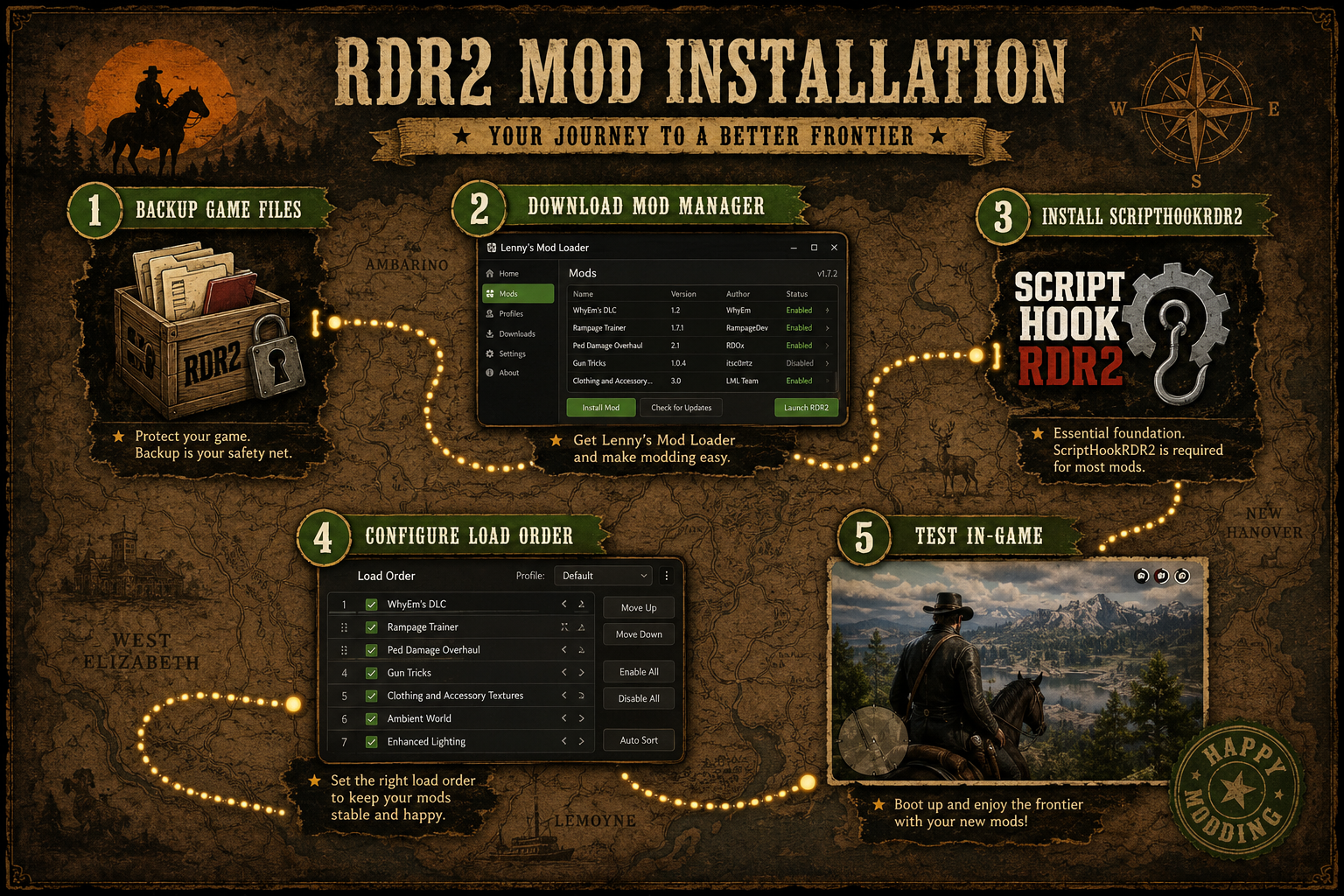
Beginners should follow a strict installation order. Skipping steps — especially the backup step — is the most common reason new modders lose save files or break their game.
Step-by-step beginner installation guide:
- Back up your save files — located in
Documents/Rockstar Games/Red Dead Redemption 2/Profiles - Back up your game folder — copy the entire RDR2 installation directory before touching anything
- Install ScriptHookRDR2 — download from the official site (alexguirre.github.io) and place files in the game root folder
- Install Lenny’s Mod Loader — follow the included readme; this manages mod files safely
- Download your first mod from Nexus Mods — start with something simple like a trainer or texture pack
- Read the mod’s installation instructions — every mod page has specific steps; don’t skip them
- Test the game before adding another mod — launch, play for 10 minutes, confirm stability
- Add mods one at a time — this makes it easy to identify which mod causes a problem
Choose Lenny’s Mod Loader if you’re a beginner — it handles file conflicts better than manual installation and makes uninstalling mods clean and simple.
For players who enjoy tinkering with game setups and streaming their modded sessions, our guide on best software for gamers to live-stream games covers the tools that pair well with a modded RDR2 setup.
Do RDR2 Mods Work With the Latest Game Updates?
Not always. Rockstar updates to RDR2 occasionally change game files in ways that break ScriptHookRDR2, which in turn breaks every mod that depends on it.
What typically happens after a Rockstar update:
- ScriptHookRDR2 stops working until the developer releases a patch (usually within a few days to two weeks)
- Mods that modify specific game files may need individual updates from their creators
- Lenny’s Mod Loader is generally more resilient to updates than manually installed mods
Best practice: Disable automatic updates for RDR2 on Steam or Epic Games Launcher if you run a heavy mod setup. Update manually only after confirming ScriptHookRDR2 has been updated for the new game version. Check the ScriptHookRDR2 release page and the Nexus Mods comment sections before updating.
If you’re managing a large gaming library alongside RDR2, these tips for managing your massive gaming backlog can help keep things organized.
Final Thoughts: Getting Started With RDR2 Mods in 2026
In 2026, Red Dead Redemption 2 remains one of the greatest moddable open-world games ever created, thanks to a passionate community that constantly delivers new ideas, visual upgrades, and gameplay innovations.
Whether you’re replaying Arthur Morgan’s unforgettable story or exploring the frontier with entirely new mechanics, these mods can make every ride across the American frontier feel fresh again. As the popularity of RDR2 continues to grow years after release, modders are ensuring the game evolves far beyond Rockstar’s original vision, keeping the Wild West alive for both returning veterans and new players alike.
Frequently Asked Questions (FAQs): Red Dead Redemption 2 Mods in 2026
What is the single most important mod to install first?
ScriptHookRDR2 is the foundation for almost all RDR2 mods. Install it before anything else.
Will mods disable Steam achievements?
Most script-based mods do not disable achievements, but trainer mods that spawn items or money sometimes do. Check the mod’s description page for confirmation.
Can mods improve RDR2’s frame rate on older hardware?
Yes. Mods like Heap Limit Adjuster and RAM Adjuster reduce crashes and improve stability on older systems, though they won’t dramatically increase raw fps.
Is Nexus Mods free to use?
Yes. A free account gives access to all mod files. Premium membership adds faster download speeds and is optional.
How many mods can RDR2 handle at once?
There’s no hard limit, but most experienced modders recommend keeping the list under 30 active mods to maintain stability. Large content mods count more heavily toward system load than small texture replacements.
Do I need to reinstall RDR2 if mods break my game?
Not usually. Restoring your backed-up game folder resolves most mod-related issues without a full reinstall.