In Counter-Strike 2 (CS2), raw reaction time alone isn’t enough to stay competitive in 2026—the difference between average players and consistent top fraggers comes down to disciplined aim training. With faster movement, refined mechanics, and increasingly skilled opponents, improving your aim now requires more than just casual deathmatch sessions. It demands structured drills that build muscle memory, precision, and consistency over time.
This guide breaks down the most effective aim improvement drills for CS2 in 2026, focusing on practical routines you can use daily to sharpen crosshair placement, tracking, flicking, and spray control—so you can turn mechanical skill into a real in-game advantage.
What Are the Best Aim Training Maps in CS2 Right Now
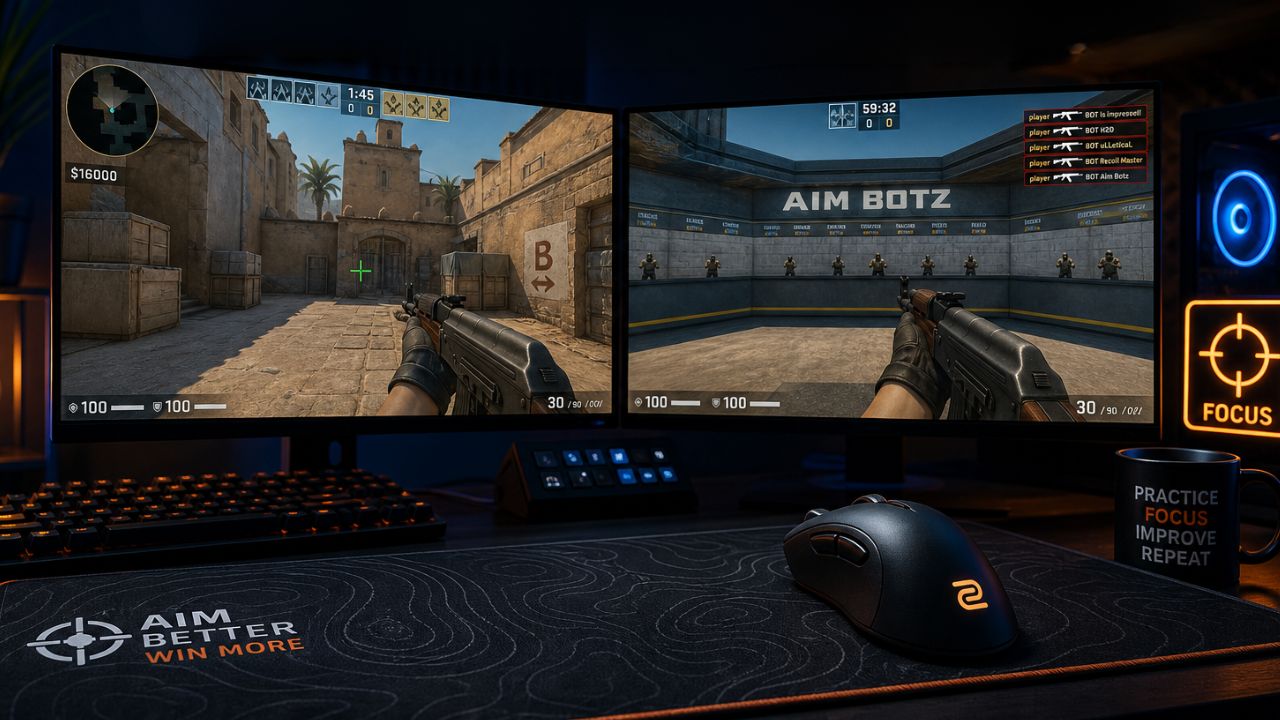
The best aim training maps in CS2 in 2026 are Aim Botz (by ulletical), Training Center 1.6, and the Yprac series. These maps cover the full range of skills: static target practice, moving target tracking, and prefire angle training.
Here is how each map serves a different purpose:
- Aim Botz — Best for raw flick training and reaction speed. Set bots to random spawn positions and practice snapping to head level.
- Training Center 1.6 — Covers spray control, recoil compensation, and movement shooting. Includes built-in accuracy scoring.
- Yprac Prefire Maps — Map-specific versions (Dust2, Mirage, Inferno, etc.) train you to prefire common angles. This is game-sense and aim combined.
- Fast Aim/Reflex Training — Good for warming up reaction time before ranked matches.
Choose Aim Botz if your main problem is missing flick shots. Choose Yprac maps if you keep losing duels at angles you already know are there.
For a deeper look at map-specific strategies, the CS2 Map Guide: Best Strategies for Every Map 2026 covers positioning and angle control that pairs well with prefire practice.
How Long Does It Actually Take to Improve Aim in CS2
Most players notice clear improvement in four to eight weeks with daily focused practice of 20 to 30 minutes. Raw hours matter less than the quality of each session and whether bad habits are being corrected.
Realistic timelines by starting level:
| Starting Level | Time to Noticeable Improvement | Key Bottleneck |
|---|---|---|
| Complete beginner | 6-10 weeks | Crosshair placement habits |
| Casual player | 3-6 weeks | Spray control and sensitivity |
| Silver/Gold Nova | 4-8 weeks | Consistency under pressure |
| MG+ | 8-16 weeks | Micro-adjustments and off-angles |
The biggest mistake players make is expecting improvement from playing more matchmaking without structured drilling. Competitive matches reinforce existing habits, good or bad. Dedicated aim training sessions are where the actual skill change happens.
How to Fix Crosshair Placement If You Are Always Missing Shots
Poor crosshair placement is the most common reason players miss shots they should be winning. The fix is to keep your crosshair at head height and pre-aimed at the most likely enemy position before you round any corner.
The three crosshair placement rules that matter most:
- Head height always — Your crosshair should sit at the level where an enemy’s head will appear, not at chest or ground level.
- Anticipate, don’t react — Move your crosshair to where the enemy will be, not where they are. This cuts the distance your mouse needs to travel.
- Hug angles tightly — When clearing a corner, keep your crosshair as close to the edge as possible. Wide-swinging exposes you longer and requires a bigger adjustment.
A quick drill: load Yprac Prefire on any map, walk every common angle, and consciously check whether your crosshair is at head level before each peek. Do this for 15 minutes daily for two weeks. The habit becomes automatic faster than most players expect.
For crosshair configuration tips that complement placement practice, the Best CS2 Settings for Pro Players in 2026 guide covers optimal crosshair styles used at the professional level.
What Sensitivity Settings Do Top CS2 Players Use
Most top CS2 professionals in 2026 use an effective DPI (eDPI) between 700 and 1000, with 800 eDPI being the most common. eDPI is calculated by multiplying mouse DPI by in-game sensitivity.
Common pro configurations:
- Mouse DPI: 400 or 800 (lower DPI = more physical space, more control)
- In-game sensitivity: 1.5 to 2.5 at 400 DPI, or 0.75 to 1.25 at 800 DPI
- Raw Input: Always on
- Mouse Acceleration: Always off
Why lower eDPI tends to work better: A lower sensitivity forces larger arm movements, which are more consistent and accurate than wrist-only micro-adjustments. Most beginners use sensitivity that is far too high, which makes spray control nearly impossible.
Choose a higher eDPI (900-1100) if you play on a small mousepad or prefer wrist aiming. Choose a lower eDPI (600-800) if you have a large pad and want maximum precision for long-range duels.
If you play other shooters alongside CS2, the Best Valorant Crosshair Settings for 2026 and Best Apex Legends Settings for PC and Console 2026 show how sensitivity preferences translate across games.
Are Aim Training Apps Like Aim Lab Actually Helpful
Aim Lab, KovaaK’s, and similar tools genuinely help, but only as a supplement to in-game practice. They are most useful for warming up, isolating specific weaknesses, and building raw mouse control. They do not teach game-specific mechanics like spray patterns, movement shooting, or angle reading.
What aim trainers do well:
- Reaction time and flick speed development
- Tracking moving targets smoothly
- Identifying whether your weakness is flicking, tracking, or micro-correction
- Consistent warm-up routine before ranked sessions
What aim trainers do not replace:
- CS2-specific recoil pattern muscle memory
- Prefire habits and angle discipline
- Decision-making under real match pressure
A practical approach: spend 10 minutes in Aim Lab or KovaaK’s before each session to warm up, then move into CS2 training maps for the core drilling work. Players who use aim trainers exclusively and skip in-game maps often find their rank does not reflect their trainer scores.
What Mouse and Gear Do Pros Recommend for Better Precision
The most important hardware factors for CS2 aim are a low-latency mouse with a reliable sensor, a large mousepad, and a high-refresh-rate monitor. Gear does not replace skill, but bad gear creates a ceiling on what good technique can achieve.
Mouse: Most pros use lightweight mice (under 80g) with optical sensors. Popular choices in 2026 include the Logitech G Pro X Superlight 2, Razer Viper V3 Pro, and Zowie EC series. The key spec is a consistent, non-accelerating sensor, not the brand name.
Mousepad: Large (XL) cloth pads are standard at the pro level. Size matters because low sensitivity requires wide arm movements.
Monitor: 144Hz is the minimum worth using for competitive CS2. 240Hz and 360Hz monitors reduce input lag further and make fast-moving targets easier to track. The difference between 60Hz and 144Hz is significant; the difference between 240Hz and 360Hz is smaller but still real.
Headset: Directional audio for footstep tracking reduces the reaction time needed before a duel even starts, which effectively improves your aim outcome even without touching your mouse settings.
Common Mistakes Beginners Make When Trying to Improve Aim in CS2
The most damaging mistake is grinding matchmaking hours instead of structured drills. Volume without correction reinforces bad mechanics rather than fixing them.
Other frequent errors:
- Changing sensitivity too often — Muscle memory requires consistency. Switching sensitivity every few days resets progress.
- Skipping spray control practice — Many players only train flicking and ignore the AK-47 and M4 recoil patterns, which are essential for mid-range fights.
- Moving while shooting — CS2 penalizes movement accuracy heavily. Counter-strafing (tapping the opposite direction key to stop momentum before shooting) is a mechanical skill that must be drilled separately.
- Ignoring warm-up — Cold-starting ranked matches without any warm-up extends the time before peak performance in each session.
- Over-focusing on raw aim while ignoring positioning — Being in a bad position means aim has to be perfect to win. Good positioning makes average aim sufficient.
How Is CS2 Aim Training Different From CS:GO
CS2’s subtick system is the core difference. In CS:GO, the server processed actions in fixed 64-tick or 128-tick intervals. CS2 records the exact timestamp of every input, which means movement and shooting interact differently, particularly for counter-strafing and jump shots.
Practical differences for aim training:
- Counter-strafing feedback feels more responsive in CS2, so the timing window for accurate shots after stopping is slightly different
- Spray patterns for rifles are similar but not identical to CS:GO, so muscle memory built in the old game needs recalibration
- The visual recoil animation in CS2 is more accurate to the actual bullet spread, making spray control training more intuitive
- Some older CS:GO training maps have been updated for CS2, but not all workshop maps have been optimized for the subtick system
Players transitioning from CS:GO should spend at least two weeks specifically re-learning spray patterns in CS2’s Training Center map before assuming their old muscle memory transfers cleanly.
What Mechanical Skills Matter Most and Is Aim About Raw Practice or Game Mechanics
Good aim in CS2 is roughly 60% mechanical skill and 40% game mechanics understanding. Raw mouse accuracy matters, but it cannot compensate for shooting while moving, peeking at the wrong moment, or standing in a predictable position.
The mechanical skills ranked by impact:
- Crosshair placement (highest impact, lowest raw skill requirement)
- Counter-strafing (stops movement penalty before shooting)
- Spray control (rifle patterns for AK-47, M4A4, M4A1-S)
- Flick accuracy (snap shots to unexpected targets)
- Tracking (following moving targets, important for AWP and pistol rounds)
Drills by weapon type:
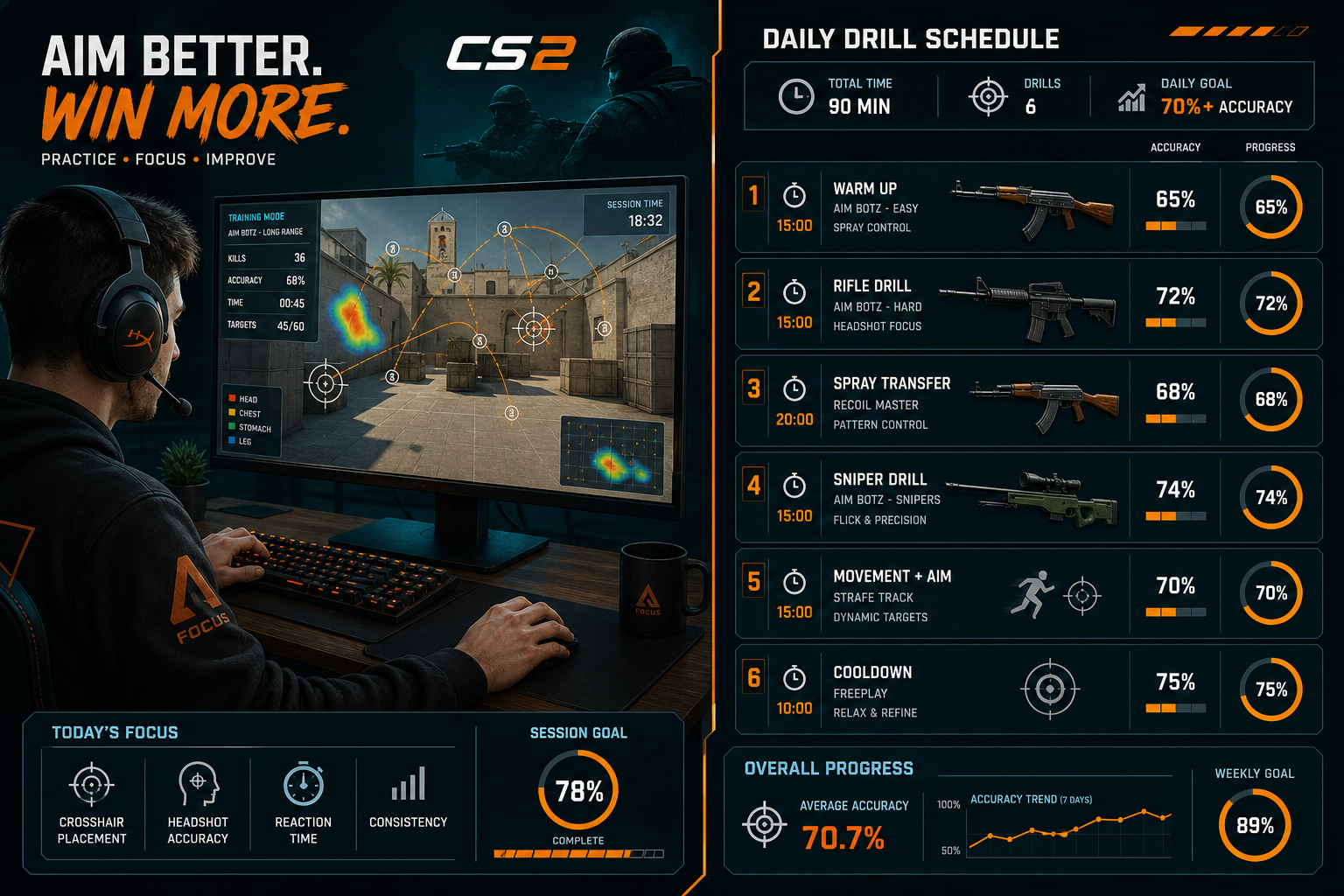
- Rifles (AK-47, M4): Spray pattern training on a wall, then transition to moving targets. 15 minutes minimum per session.
- AWP: Flick training in Aim Botz, then one-tap practice at medium range. Focus on scope timing.
- Pistols: Close-range tracking and tap-fire rhythm. Deagle requires precise single-shot timing.
How to Track and Measure Your Aim Improvement
Tracking progress requires specific metrics, not just a feeling that things are getting better. CS2 and third-party tools provide enough data to measure improvement objectively.
Metrics worth tracking:
- HS% (headshot percentage) in matchmaking — available through the CS2 profile stats page
- ADR (average damage per round) — visible in post-match scoreboard; rising ADR indicates better aim output
- HLTV.org or Leetify stats — third-party platforms that break down dueling win rates, opening kill success, and accuracy by weapon
- Aim trainer scores — KovaaK’s and Aim Lab both track scenario scores over time, making regression easy to spot
A simple tracking method: Record your HS% and ADR at the start of each week. After four weeks of structured drilling, compare. If both numbers are rising, the training is working. If HS% rises but ADR stays flat, crosshair placement is improving but positioning may be the new bottleneck.
For players interested in how skill development compares across competitive titles, the Best LoL Champions for Beginners in 2026 and Call of Duty Modern Warfare 4 Best Settings Guide 2026 show how different games reward different skill sets.
Which Pro Players Have the Most Consistent Aim Technique
Several active CS2 professionals are widely recognized for technical aim consistency rather than relying purely on game sense or team coordination.
Notable examples in 2026:
- s1mple (Oleksandr Kostyliev) — Known for AWP precision and aggressive peeking technique. Uses low sensitivity and prioritizes positioning to create clean shot angles.
- ZywOo (Mathieu Herbaut) — Regarded as one of the most mechanically consistent riflers and AWPers. His crosshair placement discipline is frequently cited by analysts.
- NiKo (Nikola Kovac) — Exceptional rifle spray control and one-tap accuracy. Often used as a reference for AK-47 technique.
What these players share: consistent sensitivity settings over long periods, daily warm-up routines, and a focus on crosshair placement over raw reaction speed. None of them rely on high sensitivity.
Final Thoughts
Improving aim in CS2 in 2026 is a structured process, not a mystery. The players who improve fastest are not the ones who play the most hours; they are the ones who practice deliberately, track their progress, and fix bad habits before adding volume.
Actionable next steps:
- Set your sensitivity to a consistent eDPI between 700 and 900 and do not change it for at least three weeks
- Spend 15 minutes daily on Aim Botz focusing on head-height crosshair placement
- Dedicate two sessions per week specifically to spray control on a wall in Training Center 1.6
- Load a Yprac Prefire map for your most-played map and run every angle for 10 minutes before ranked sessions
- Start tracking HS% and ADR weekly through Leetify or the CS2 stats page
- Review the Best CS2 Settings for Pro Players in 2026 to confirm your video and mouse settings are not creating unnecessary disadvantages
Aim improvement is cumulative. Four weeks of consistent, structured drilling produces results that months of unstructured matchmaking cannot. Start the process today, measure it, and adjust based on data rather than feel.
Frequently Asked Questions (FAQs)
What is the fastest way to improve aim in CS2?
Fix crosshair placement first. It delivers the biggest accuracy improvement for the least amount of practice time. Then add 20 minutes of daily Aim Botz or Training Center drilling.
How many hours per day should I spend on aim training?
20 to 30 minutes of focused drilling is more effective than two hours of unfocused play. Quality and consistency matter more than total hours.
Does playing on a higher sensitivity help reaction time?
No. Higher sensitivity makes fast movements easier but reduces precision. Most missed shots at high sensitivity are overshoots, not slow reactions.
Should I use the same sensitivity in CS2 as in Valorant or other shooters?
Not necessarily. CS2 and Valorant handle mouse input differently. Use a sensitivity converter tool and verify the feel in a training map before ranked play.
Is Aim Lab a good substitute for in-game CS2 practice?
No, it is a supplement. Aim Lab builds raw mouse control but does not teach CS2-specific mechanics like spray patterns, counter-strafing, or angle discipline.
What is eDPI and why does it matter?
eDPI (effective DPI) equals your mouse DPI multiplied by your in-game sensitivity. It lets you compare sensitivity across different hardware setups. Most CS2 pros sit between 700 and 1000 eDPI.
Does a 240Hz monitor actually improve aim?
Yes, compared to 60Hz or 144Hz, a 240Hz monitor reduces motion blur and input lag, making fast-moving targets easier to track. The improvement from 144Hz to 240Hz is real but smaller than the jump from 60Hz.